Support
Help with SEED for iPad and Metron for iPhone. If your question isn’t answered here, send an email and you’ll get a reply.
Email 3Maze
To help solve a problem quickly, please say what happened and what you expected, which iPad or iPhone you use, its iPadOS or iOS version, and attach a screenshot if it helps.

SEED
Procedural sound for iPad. Requires iPadOS 18 or later.
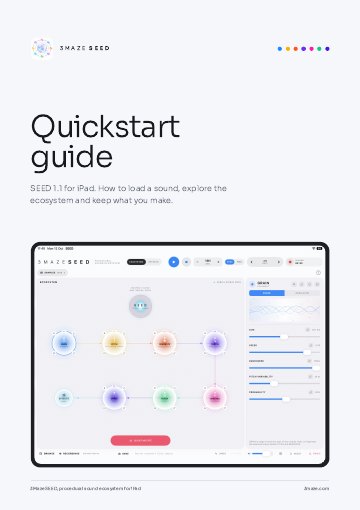
Quickstart guide
Seven illustrated pages: your first sound, the screen at a glance, the processors and effects, samples, recording, sessions and MIDI.
Download the guideThere’s no sound.
Check that a sample is loaded: open SAMPLES, or tap Load Starter Sounds. Then press Play. Check the volume slider at the bottom of the screen and the iPad’s own volume. If a processor looks faded, it is bypassed, so tap its power button to turn it back on. RESET or PANIC returns SEED to a safe state.
How do I add my own sounds?
Open SAMPLES and tap + to import audio from the Files app. SEED has 16 sample slots. Imported files are copied into SEED, so the originals stay where they are. Samples can be up to three minutes long; longer files are shortened to their first three minutes.
How do I record with the microphone?
Open SAMPLES and tap the microphone button. SEED pauses its own sound while the recorder is open. Record for up to three minutes, then tap Use as Sample.
SEED can’t use the microphone.
Open the Settings app, find SEED in the list of apps and turn on Microphone. Then open Record a Source again.
Where are my recordings?
Tap RECORDINGS at the bottom of the screen to play, rename, share or delete them. They are also in the Files app, in On My iPad › SEED › SEED Recordings, so you can drag them into other apps.
How do I save and reopen my work?
Tap SAVE to save your session. Tap BROWSE to open a saved session. When you open SEED, tap Continue to pick up where you left off, or New to start fresh.
How do I set the tempo?
Tap the BPM number. You can step by 1 or 10, drag the slider anywhere from 30 to 300 BPM, or tap along on TAP. SYNC locks the rate to the tempo, and FREE lets it run on its own.
Will SEED keep playing when I switch apps?
Yes, when Keep Playing in Background is on in the Settings menu (the gear button). Turn it off if you want SEED to stop when you leave it.
Why does the level meter turn red?
Red means SEED’s safety limiter is working to keep the output from clipping. If the sound gets squashed, lower the volume slider.
Can I undo a change?
Yes. UNDO and REDO at the bottom of the screen step back and forward through your changes, including SEED and Slight Mutate.
How do I use MIDI with SEED?
Turn on MIDI Input in the Settings menu (the gear button). SEED listens to USB MIDI devices, network MIDI sessions and other apps. Bluetooth MIDI devices work once they are paired in another app, such as GarageBand.
| MIDI message | What it does |
|---|---|
| Notes C1 to D#2 (36–51) | Play sample slots 1 to 16 |
| C3 (60) | SEED (randomise the ecosystem) |
| C#3 (61) | Slight Mutate |
| D3 (62) | Undo |
| Start or Continue | Play |
| Stop | Stop |
Note names follow the convention where middle C (60) is C3, as in Logic Pro and GarageBand.
Metron
Tap tempo metronome for iPhone. Requires iOS 17 or later. View on the App Store.
I can’t hear the click.
Turn the volume up with the side buttons. Metron plays even when the silent switch is on. If you use Bluetooth or AirPlay, check where the sound is going.
Metron stopped on its own.
Metron stops for incoming phone calls and when headphones are unplugged. Press START to carry on.
How does tap tempo work?
Tap the centre ring in time with the music, at least twice. Metron works out the tempo from your recent taps and, while it’s playing, lines the click up with them. One uneven tap is ignored; two in a row that are faster or slower count as a new tempo. Pause for a couple of seconds to start a new count.
Why does 6/8 click faster than 3/4 at the same BPM?
BPM always counts quarter notes. Time signatures in eighths click twice as often, and time signatures in halves click half as often.
How do I change the tempo and time signature?
Use the − and + buttons, and hold them to change faster. Drag the BPM number for bigger jumps. Choose a time signature from the picker, or set a custom one.
The click sounds late on Bluetooth headphones.
Bluetooth adds a small delay. For the tightest timing, use the iPhone speaker or wired headphones.
Does Metron keep playing when the screen locks?
Yes. Playback continues when the screen locks, and the screen stays awake while Metron is playing.
How do I switch between light and dark?
Tap the moon or sun button in the top-right corner.